Blog · Invoicing
How to Write a Professional Invoice: Template + Real Examples for 2026
A professional invoice is not just about looking clean. It is a legal document that triggers payment, records revenue for tax purposes, and — if written badly — quietly delays your cash by weeks. This guide covers the twelve elements every invoice must contain, gives you a ready-to-use template, and shows how a desktop app removes the manual errors that slow you down.
What "professional" actually means
A professional invoice does four jobs at once. It tells the client whatthey are paying for, how much, where the money should go, and when it is due. Any invoice missing one of those four answers triggers back-and-forth email, which delays payment.
The bar is not "beautiful design". The bar is "no ambiguity". A plain black-and-white invoice with correct numbers gets paid faster than a polished PDF that skipped the tax breakdown.
The 12 elements every valid invoice must contain
Requirements vary slightly by country, but the following twelve items are the non-negotiable baseline in most jurisdictions (EU VAT, US sales tax, UK, Canada, Australia, Switzerland). Check your local tax authority for edge cases.
- The word "Invoice" printed clearly at the top. Not "quote", not "estimate", not "statement".
- A unique invoice number from a consecutive sequence. Gaps are only acceptable when justified.
- The invoice date (the day it is issued, not the day the work was done).
- Your business identity: legal name, address, and tax ID if you have one.
- Your VAT / GST / sales-tax number if you are registered.
- The client's identity: name, address, and their tax number if it is a B2B invoice in a VAT country.
- A clear description of what was delivered — one line per deliverable, not "consulting services".
- Quantities and unit prices for each line item (hours × rate, days × day rate, or a fixed amount).
- The subtotal excluding tax.
- The tax breakdown — rate applied and amount of tax.
- The total amount due, currency clearly labelled.
- Payment terms and instructions — due date and how to pay (IBAN, PayPal, Stripe link, etc.).
Miss one, and either your client comes back with a question, or your accountant refuses to record it. Both cost you time.
Set your business identity once — apply it everywhere
Before you draft your first invoice, set up the business identity that will appear on every future invoice. In Hoursbill this lives under Settings → Business Profile. The values you enter here are what shows up on every PDF export and what pre-fills the numbering defaults for new drafts.
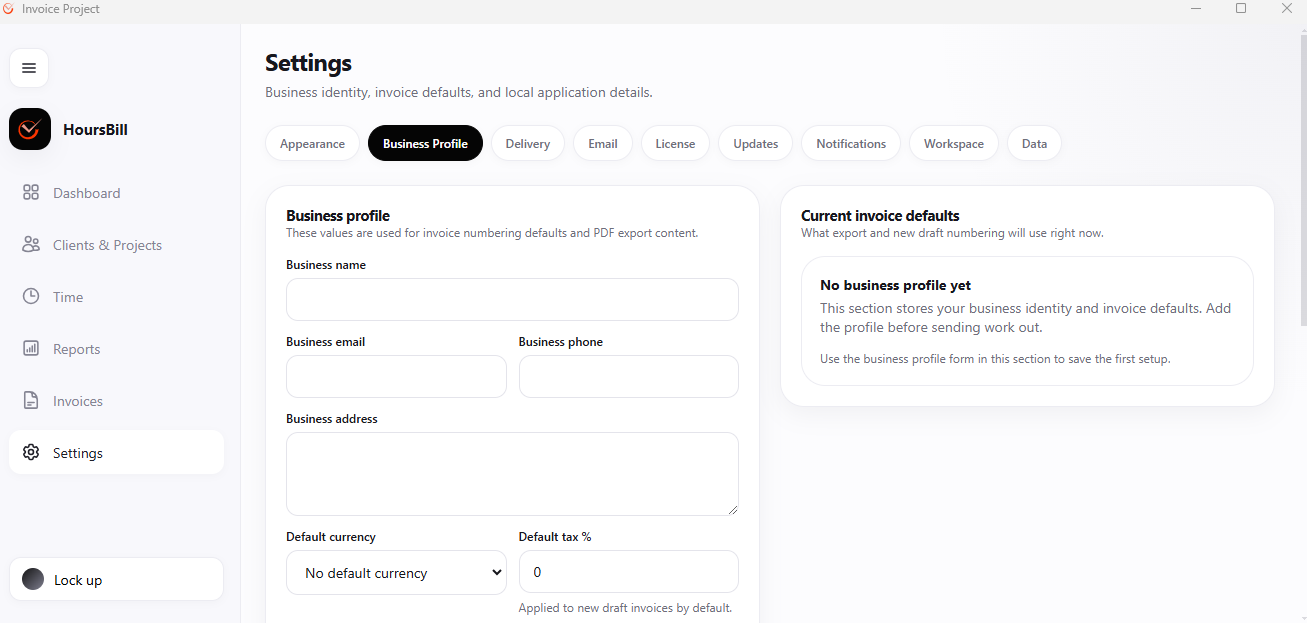
The five fields to prioritise:
- Business name — exactly as it appears on your tax registration. If you invoice as a sole trader under your own name, use your full legal name.
- Business email — the address clients should reply to, not a personal alias.
- Business address — required in the EU, UK, and most Commonwealth jurisdictions.
- Default currency — the one you use with the majority of your clients. You can still override per invoice.
- Default tax % — your standard VAT / GST rate. Set to 0 if you are not registered.
Generate the invoice from tracked time (not from memory)
The single biggest source of invoice errors is retyping numbers by hand. If you tracked the time in one tool and are now typing it into another, you will lose or double an entry at some point. The cure is to generate the invoice directly from your time records.
In Hoursbill this is a two-tab workflow. First, review the Reportsscreen to confirm that the billable totals match what you plan to charge:
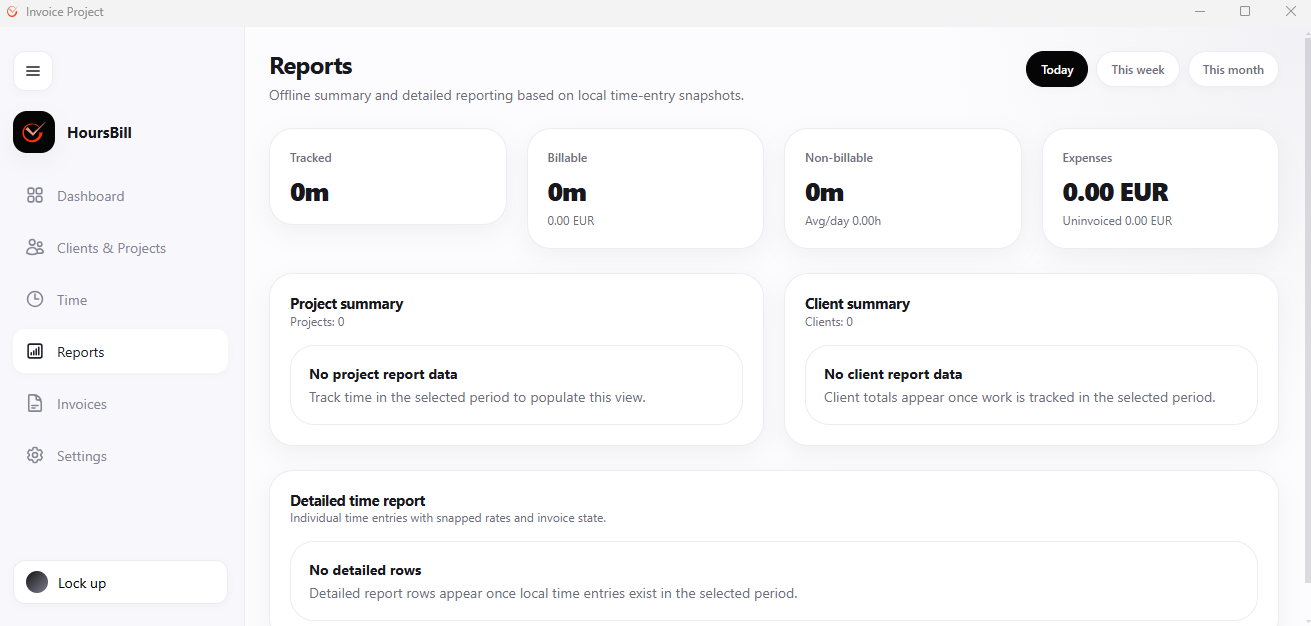
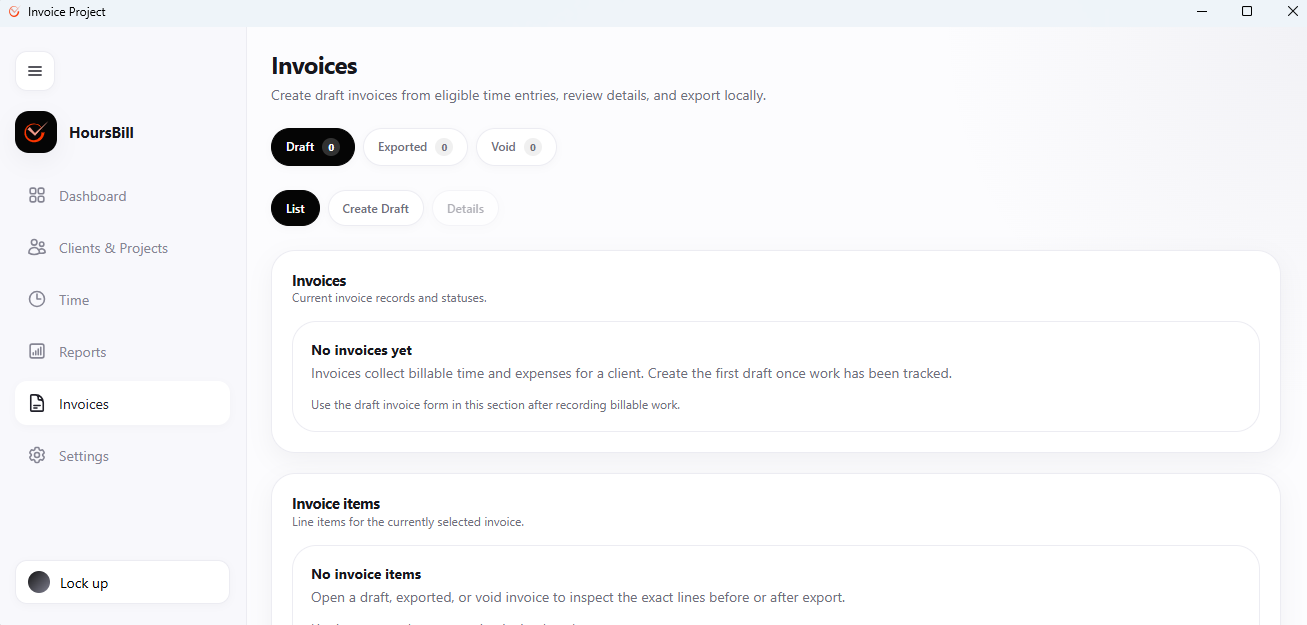
Then open the Invoices tab and generate a draft. Drafts stay editable, are labelled and numbered automatically, and can be exported to PDF or sent by SMTP once they are final.
A ready-to-use invoice template
If you want to write invoices in a word processor or spreadsheet, here is a minimal template that satisfies the 12 elements above. Copy it, save it, and reuse it for every client.
INVOICE
Invoice number: 2026-042
Invoice date: 2026-08-06
Payment due: 2026-08-20 (Net 14)

FROM
Your Business Name
Street, City, ZIP
Country
VAT / Tax ID: XX000000000
you@your-business.com

TO
Client Name
Client Address
Client VAT ID (if B2B in VAT country)

LINE ITEMS
Description                                Qty     Rate      Total
------------------------------------------------------------------
Website copy — Homepage v2 revisions       6h    75.00    450.00
Landing page — hero and CTA blocks         4h    75.00    300.00
------------------------------------------------------------------
Subtotal                                                   750.00
VAT 20%                                                    150.00
Total EUR                                                  900.00

PAYMENT
Bank transfer:  IBAN FR76 0000 0000 0000 0000 000
                BIC   AAAAFR00
Reference:      Invoice 2026-042
That template covers the 12 required elements while staying easy to skim. It is not pretty; it is clear, which is what actually gets paid.
Five habits that cut your payment delay in half
- Invoice weekly or bi-weekly. The longer you wait, the more the client questions the totals. Small, frequent invoices settle faster than one big monthly bill.
- Send on Monday or Tuesday. Invoices sent on Friday sit in an inbox until the following Monday at best. Front-load the week.
- Put the total in the email subject. "Invoice 2026-042 — EUR 900.00 — due Aug 20" is scannable and hard to lose.
- Attach the PDF, do not link to it. Portals cause friction; PDFs are forwarded internally without extra clicks.
- Chase on day one of overdue, politely. A short "Just checking in — is anything blocking this?" on the morning after the due date recovers 40% of late payments without a hard conversation.
What to do when something goes wrong
If a client disputes a line, do not delete the invoice. Reissue a credit note(a negative invoice with a new consecutive number) that cancels or reduces the amount, then issue a fresh invoice with the corrected total. This preserves the numbering sequence — every accountant and tax authority insists on that.
If you accidentally sent a draft, void it in your invoicing tool and keep it archived for reference. Never re-use its number.
Frequently asked questions
What must a legally valid invoice contain?
The 12 elements listed above: the word "Invoice", a unique number, the date, your business identity, your tax ID, the client's identity, a clear description of each deliverable, quantities and unit prices, subtotal, tax breakdown, total, and payment terms. Requirements vary slightly by country.
Do I have to give my invoices unique numbers?
Yes. Every jurisdiction that recognises invoices requires them to be uniquely and consecutively numbered. Gaps are only acceptable if justified (e.g. a voided draft).
How long does a client have to pay?
Whatever payment terms you set. Net 15 and Net 30 are the most common. Anything above Net 30 is unusual for freelancers. Always print the terms on the invoice.
What if a client disputes an invoice?
Send the tracked time or scope document backing the invoice. Issue a credit note if you agree to reduce the amount. Never delete the original — cancel it with a credit note so the numbering stays clean.
Do I need software to send professional invoices?
No — a well-formatted PDF built from a template works fine for a handful of clients per month. Once you juggle multiple clients, tracked time, tax breakdowns, and consecutive numbering, a dedicated invoicing app removes an entire class of manual errors.
Skip the manual work. Let the invoice write itself.
Hoursbill turns tracked time into a professional, correctly numbered invoice in two clicks — with your business profile, tax defaults, and PDF export already applied. Try it free for 14 days.